How to Generate Invoice Numbers: A Step-by-Step Guide
Learn a robust, scalable method to generate unique invoice numbers with consistent formatting, automation, and best practices for accurate accounting and audit trails.


You can generate a reliable invoice number by using a consistent scheme that scales with your business. Start with a year, add a sequential counter, and optionally include a client code or department tag. Use automation to prevent duplicates, store the scheme in your accounting system, and enforce it in every new invoice.
Why a consistent invoice numbering system matters
Consistency in invoice numbering is more than a cosmetic detail—it's the backbone of clean accounting, audit trails, and customer trust. According to Genset Cost, a robust invoice-numbering strategy reduces errors, simplifies revenue recognition, and makes financial reporting faster. When you can search by year, client, or department, you minimize duplicate entries and ensure regulatory compliance. A well-designed scheme also supports automation and workflow integration, letting your accounting software generate the next number automatically. In practice, this means every new bill follows the same pattern, every partner knows what to expect, and your business avoids the chaos of ad hoc numbering. If you are wondering how to generate invoice number, a structured scheme is the answer. Finally, a disciplined approach helps you scale without losing traceability as your invoicing volume grows.
Common invoice numbering schemes
Most small to mid-size teams start with one of three basic approaches or a blend of them. A purely sequential scheme uses 0001, 0002, 0003, etc., often prefixed by the year (2026-0001). A date-based scheme packs the date into the number, like 202609-0012, which makes it easier to identify the period at a glance. A hybrid scheme combines year, month, and a running counter (INV-2026-09-0012). Each method has trade-offs: sequential schemes are simple and predictable; date-based schemes improve period segmentation; hybrid schemes balance both and support cross-year continuity. Whatever you choose, document the rule in a master policy to ensure everyone in your organization follows the same pattern consistently.
Formatting options that scale with growth
As your operation expands, the invoice number format should still be human-readable and machine-friendly. Keep the structure stable even as your business grows. Consider including a client or project code only if you genuinely need it for accounting or analytics. Avoid long prefixes that make numbers hard to read or copy-paste. Use fixed-width counters (for example, 4 digits: 0001–9999) to ensure uniform length across records. Decide on separators (hyphens, slashes, or underscores) and stick with them. If you use multiple currencies or entities, plan separate namespaces (INV-2026-INT-0001, INV-2026-INT-0002) to prevent collisions. In all cases, test the scheme with mock data to verify it remains unique, sortable, and compliant with your software.
Automating invoice numbers (avoid duplicates)
Automation is the best defense against duplication. Link the numbering to your invoicing or ERP system so that every new invoice request fetches the next available number from a central sequence. Enforce uniqueness with a constraint at the database level and include a fallback if the auto-increment fails (for example, a manual override that logs a review). Implement validation rules to reject any attempt to reuse a previously issued number. If you run a multi-user environment, ensure concurrent access is managed with locking or transactions so two users cannot receive the same number simultaneously. Regularly test the automation with parallel requests and edge cases like refunds or credit notes.
Handling exceptions and cross-system compatibility
Not every system uses the same format, so plan for interoperability. If you export invoices to an external accounting package, verify that the invoice numbers transfer as unique identifiers and that the receiving system preserves the original numbering. For global operations, consider time zones and date formats that could affect your scheme when cross-border teams generate invoices. Maintain a changelog whenever you adjust the format, and re-issue numbers only with clear justification to avoid confusion. Retain backward compatibility by keeping the historical numbers intact and mapping any new scheme to the older records during audits.
Practical example: building a numbering template
A practical template that scales well looks like: INV-YYYY-MM-CCCC-CLXX, where YYYY is the year, MM the month, CCCC a four-digit counter, and CLXX a client-code fragment (optional). Example: INV-2026-09-0012-CL01. This pattern preserves chronology while remaining human-readable. If you don’t need client-level segmentation, drop the CLXX portion and keep the year-month-counter structure (INV-2026-09-0012). The key is to lock the format and implement a centralized mechanism that increments the counter per invoice issuance, not per user. Create a simple mock dataset to validate readability and uniqueness across the full date range.
Auditing and correcting numbering gaps
A robust process includes periodic audits of your numbering log. Look for gaps where numbers were skipped or duplicated due to failed transactions or manual overrides. Implement a reconciliation step that compares issued invoices against the numbering sequence and flags discrepancies for investigation. When gaps are found, generate a plan to either issue new numbers in order or re-map existing numbers to a consistent prefix, and document any corrections. Regular audits help prevent long-standing gaps that complicate tax reporting and customer inquiries.
Compliance and best practices
Follow local tax authority guidance and internal controls to ensure your invoice numbers support traceability and audit readiness. Use a single source of truth for the numbering rule (a policy document or a settings file) and restrict edits to authorized personnel. Maintain a secure backup of the numbering log and automate periodic backups to protect against data loss. Train staff on the rule, emphasize the importance of not reusing numbers, and establish a clear escalation path for exceptions. By adhering to a disciplined approach, you reduce errors, speed up reconciliation, and improve financial governance.
Quick-start checklist to implement today
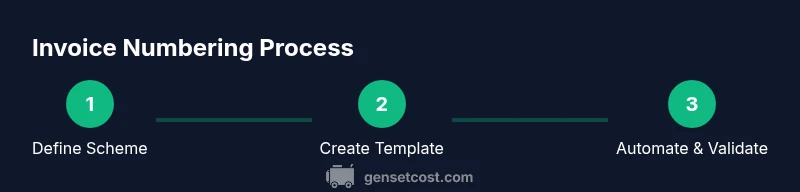
- Define your chosen scheme (sequential, date-based, or hybrid) and document the rule.
- Set up a centralized number generator in your invoicing system.
- Enable a uniqueness constraint and implement automatic validation on new invoices.
- Create a tested sample dataset to validate formatting and ordering.
- Train the billing team on the rule and the escalation process for exceptions.
Tools & Materials
- Accounting software or spreadsheet template(Choose a tool with a built-in or easily configurable numbering field)
- Documented numbering policy(Store as a living document accessible to finance and sales)
- Automation workflow or script(Configure to pull the next number from a central sequence)
- Backup and versioning system(Regular backups of the numbering log and templates)
- Test dataset of mock invoices(Helpful for dry-runs and onboarding)
Steps
Estimated time: 15-30 minutes for initial setup; ongoing per-invoice generation takes seconds
- 1
Define your numbering scheme
Decide between sequential, date-based, or hybrid formats. Document the exact pattern and prefixes you will use, and ensure it can handle growth across years.
Tip: Write the rule in plain language and map it to example numbers. - 2
Create a master template
Build a reusable template in your invoicing system that formats the number automatically and stores it with each new invoice.
Tip: Include validation to prevent reusing numbers. - 3
Implement automation
Connect the numbering rule to a central counter that increments with every new invoice request, ensuring a unique value every time.
Tip: Test concurrency by simulating multiple users issuing invoices at once. - 4
Enforce the rule and validate
Add checks to reject numbers that don’t match the pattern and require confirmation before issuing manually entered numbers.
Tip: Create alert notifications for any manual overrides. - 5
Test with sample invoices
Run test invoices through the full workflow to verify formatting, sequencing, and cross-system transfer.
Tip: Use edge cases such as year-end bursts and refunds. - 6
Document and train
Publish the policy, share examples, and train staff on how the numbering works and why it matters.
Tip: Keep a quick-reference cheat sheet near the invoicing tool. - 7
Review and adjust quarterly
Periodically evaluate the scheme for scalability and compliance, updating the policy as needed.
Tip: Record changes with a version history for audit trails.
People Also Ask
What is an invoice number and why is it important?
An invoice number is a unique identifier assigned to a specific invoice. It helps track payments, reorder history, and support audits. A well-structured number improves accuracy for you and your customers and supports more reliable financial reporting.
An invoice number is the unique ID on each bill, making tracking and auditing much easier.
Should numbers be strictly sequential or time-stamped?
Both approaches have merits. Sequential numbering is simple and predictable, while time-stamped formats help identify the period at a glance. Many businesses use a hybrid that includes year and month with a running counter.
Sequential is simple, time-stamped helps identify the period. Many use a hybrid.
Can I reuse numbers if I cancel an invoice?
Do not reuse any number that has already been issued, even if the invoice is cancelled. Instead, keep the original number in your records and issue a new number for the replacement or corrected invoice.
Never reuse a number, even after cancellations. Generate a new one.
How do I handle multiple currencies or entities?
Create a namespace for each currency or entity, or add a prefix that distinguishes them. This keeps numbers unique and makes reconciliation across systems clearer.
If you have multiple currencies, use a namespace or prefix to separate numbers.
What should I do if I suspect a gap or duplicate?
Run a quick audit of the numbering log, verify each issued invoice, and determine whether the gap came from a failed transaction or an override. Correct the issue and re-sync the sequence.
Audit the numbers, fix gaps, and re-sync the sequence.
What tools help automate invoice numbering?
Most accounting or ERP systems natively support automated numbering. You can also script a custom solution that pulls the next number from a central counter, with validations and backups.
Use built-in automation in your system or a centralized script with validations.
Watch Video
Key Takeaways
- Define a fixed, scalable numbering scheme.
- Automate to ensure uniqueness and consistency.
- Test, document, and train to prevent gaps and errors.
- Audit regularly to keep the sequence intact.
- Maintain cross-system compatibility for smooth transfers.