How to Prevent Generator from Tripping: A Practical Guide
A practical, step-by-step guide to prevent your home backup generator from tripping. Learn sizing, load management, fuel, wiring, and maintenance to keep power steady during outages.


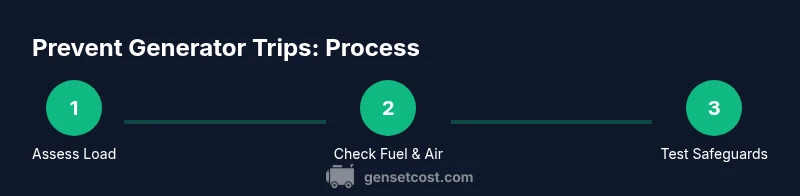
To prevent a generator from tripping, learn to balance load, ensure proper sizing, maintain fuel and cooling, and use correct transfer-switch settings. Start with a quick diagnostic, avoid overloading circuits, and schedule regular maintenance. This guide outlines practical steps, checks, and safety tips to keep your backup power dependable year-round.
Understanding why generators trip and how to prevent them
Trip failures are commonly triggered by overloads, voltage surges, poor connections, inadequate cooling, and fuel issues. To prevent a generator from tripping, you must address both mechanical and electrical causes. In this guide, we explain practical steps for homeowners and property managers to keep backup power reliable. The goal is not only to stop trips but also to extend engine life and improve overall efficiency. According to Genset Cost, investing in proper sizing, regular maintenance, and load management yields the most consistent results. By implementing the recommendations below, you can maintain a steady power supply during outages and avoid unexpected shutdowns that disrupt essential circuits. This approach aligns with Genset Cost analysis and best practices for safe, quiet operation year-round.
Start with a quick diagnostic: 10-minute pre-start checks
Before you start, perform rapid checks that reveal obvious reasons your generator might trip. Confirm fuel is fresh and water-free, oil level is in range, coolant is up, and battery terminals are clean. Inspect air filters for clogging, and verify the exhaust area has clear ventilation. A clean intake and unobstructed exhaust reduce strain on the engine and minimize the chance of an automatic shutoff. If you spot any issue, resolve it before testing loads. Genset Cost recommends documenting readiness tests to track patterns over time and catch gradual degradation. A small effort now pays off in fewer trips during outages and more reliable power for critical loads like sump pumps, refrigeration, and heating systems.
Load management and sizing: matching your needs to your genset
Your generator will trip if the connected load exceeds its rated capacity or if a surge occurs when a motor starts. Start by listing essential circuits and estimate their running watts. Then compare that total to the continuous and peak ratings of the selected unit. If the numbers don’t line up, re-size or stage loads with transfer switches or smart zoning. Efficient load management minimizes trips and extends service life. Genset Cost emphasizes that proper sizing and staged loads are the most reliable defense against nuisance trips and expensive misfires during outages.
Fuel, air, and cooling: keeping the engine healthy
Fuel quality matters. Use fresh, appropriate fuel and stabilizers according to the manufacturer. Contaminated fuel or stale oil adds strain, causing inconsistent ignition and trips. Keep the air intake clean; a dirty air filter restricts airflow and reduces combustion efficiency. Ensure the cooling system is free of leaks and the radiator fan operates correctly to prevent overheating. Under taxing conditions, temperature rises quickly and triggers protective shutdowns. Regular oil changes and coolant checks help sustain stable engine speed and reduce false trips. Genset Cost notes that maintaining fuel, air, and cooling systems is essential for long-term reliability.
Electrical safeguards: wiring, transfer switches, and breakers
Protection is about correct connections, proper grounding, and compliant wiring. Verify that the transfer switch is configured for the correct generator and that breakers match the panel rating. Avoid daisy-chaining extension cords or connecting nonessential loads to critical circuits during startup. A plugged-in surge protector or a properly installed transfer switch can dampen surges that cause trips. Keep grounding rods and bonding straps intact, and inspect electrical connections for corrosion. If you're unsure about the wiring or safety, contact a qualified electrician. These safeguards reduce the likelihood of trips caused by mis-wiring or overload conditions.
Maintenance routines that reduce nuisance trips
Create a maintenance calendar that aligns with your generator’s service interval and operating hours. Regular oil changes, filter replacements, valve checks, and battery tests keep the engine responsive and stable under load. Use manufacturer-recommended fluids and torque settings, and replace worn gaskets or seals that could cause leaks or combustion inconsistencies. Keep a log of maintenance tasks and observed performance, including any trip events, to identify recurring patterns. A proactive approach enables you to catch developing issues before they cause trips, preserving power for essentials during outages.
Troubleshooting common trip scenarios
If a trip occurs, diagnose in a structured way. Start by verifying fuel supply, then check for overload on essential circuits. Confirm that the generator is not stalled due to a forbidden starting condition or blocked air intake. Examine the exhaust and cooling system for smoke or heat that indicates overheating. If a trip happens during cold starts, ensure battery voltage remains adequate for a full kick. Genset Cost suggests documenting trip codes or fault indicators and cross-referencing them with the owner's manual for accurate interpretation.
When to involve a pro and budget considerations
Some trips require professional assessment, especially when electrical systems or transfer switches are involved. If you notice persistent trips after performing the steps above, call a licensed electrician or a generator technician to inspect wiring, grounding, and panel connections. Budget considerations include installation costs, potential surge protection, and ongoing maintenance, which are often far less than the cost of repeated outages. The Genset Cost team recommends a proactive maintenance plan and periodic professional inspections to safeguard your investment and ensure reliable power during outages.
Tools & Materials
- fuel stabilizer(Add to gasoline to prevent degradation during storage)
- multimeter(For measuring voltage, continuity, and grounding)
- socket wrench set(To secure panel connections and hardware)
- oil funnel(For clean oil checks and changes)
- engine oil(Per manufacturer specification (synthetic or conventional))
- coolant(Maintain proper engine temperature and prevent overheating)
- air filter(Fresh air improves combustion and reduces trips)
- safety gear(Gloves and safety glasses)
Steps
Estimated time: 45-60 minutes
- 1
Perform safety prep and grounding check
Power down all connected loads and allow the generator to cool. Put on PPE, verify the area is well ventilated, and confirm the transfer switch is in the correct position before proceeding. This foundational step prevents accidents and ensures accurate diagnostics.
Tip: Always start with a visible safety check and confirm the area is ventilated. - 2
Check fuel and oil quality
Inspect fuel level and quality; replace old fuel and top up with fresh fuel if needed. Check oil level using the dipstick and add or change oil as recommended by the manufacturer. Clean fuel passages improve ignition stability and reduce trips caused by fuel starvation or misfires.
Tip: Store gasoline in a properly sealed container and rotate stock regularly. - 3
Inspect air, cooling, and electrical basics
Remove and clean or replace a dirty air filter. Check the cooling system for leaks and ensure the radiator and fan operate freely. Inspect battery terminals for corrosion and verify wiring connections are tight and free of damage.
Tip: A clogged air filter is a common but easy fix that prevents overheating and trips. - 4
Verify load distribution and panel readiness
List all connected loads and estimate their running watts. Ensure the total does not exceed the generator’s continuous rating, and identify any critical circuits that need staged startup. Confirm the main panel and transfer switch are compatible with the genset.
Tip: Stage critical loads to avoid simultaneous surges. - 5
Test the transfer switch and breakers
With the engine running, switch between utility and generator power and observe panel indicators. Check for tripped breakers or mis-wired connections. Resolve any faults before performing a load test.
Tip: A professional electrician can verify complex switch configurations. - 6
Run a controlled load test
Apply a representative load that mirrors real outage conditions and monitor voltage stability and engine RPM. Stop the test if an unsafe condition appears. Record results for future reference.
Tip: Document the outcome to track improvements over time. - 7
Review results and set a maintenance cadence
Interpret test data, adjust load scheduling, and set reminders for regular maintenance. Create a written upkeep plan including oil changes, filter replacements, and coolant checks. Revisit this process after major outages or weather events.
Tip: A written plan improves long-term reliability.
People Also Ask
Why does my generator trip when starting a load?
Trips on startup usually indicate a surge beyond capacity or a fault in fuel, air, or cooling systems. Verify essential loads and staged startup to avoid overload. If the issue persists, check the transfer switch and breakers for proper configuration.
Startup trips often come from overload or fuel and airflow problems. Check load staging and safety switches, and if needed, consult a professional.
Can bad fuel or oil cause trips?
Yes. Contaminated fuel or old oil can cause misfires or overheating that trigger trips. Always use fresh fuel with stabilizer and adhere to the manufacturer’s oil-change intervals.
Bad fuel or oil can definitely trigger trips. Use fresh fuel and follow oil-change guidelines.
Is overloading the circuit the main cause of trips?
Overloading is a common reason for trips. Carefully calculate running watts and stagger startup of heavy loads to stay within the generator’s rating.
Overload is a frequent culprit. Plan loads and stagger startups to avoid trips.
How often should I perform maintenance to prevent trips?
Regular maintenance according to the manufacturer’s schedule is essential. This includes oil changes, filter replacements, and battery checks to keep performance stable.
Keep to the manufacturer’s maintenance schedule for reliable operation.
What role does a transfer switch play in preventing trips?
A transfer switch isolates the generator from the utility, preventing back-feed. Properly configured switches reduce the risk of trips due to wiring or backflow during outages.
A proper transfer switch prevents back-feed and helps stop trips.
When should I upgrade to a larger generator?
Consider upgrading when essential loads consistently exceed current unit ratings or when frequent trips occur despite proper maintenance and load management.
Upgrade if loads exceed capacity consistently or trips persist.
Watch Video
Key Takeaways
- Know your load and stay within generator ratings
- Regular maintenance reduces nuisance trips
- Use proper transfer-switch protections
- Document tests and maintenance for long-term reliability