How to Generate Online Invoices: A Complete Step-by-Step Guide
Learn how to generate online invoices quickly and accurately with templates, tools, and best practices. This guide covers data collection, template design, automation, security, and compliant billing for business and home-service needs.


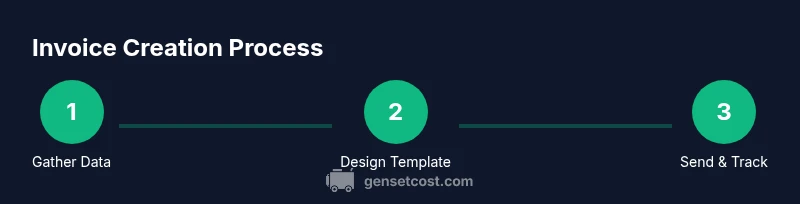
By following these steps, you can learn how to generate online invoice quickly and accurately. Gather client data, item details, tax rules, and payment terms; then pick an invoicing tool or template, fill the fields, generate a printable PDF or shareable link, and send it with automatic reminders. This 6-step approach also covers recurring invoices and basic compliance.
Why online invoicing matters for small businesses and the home services sector
In the world of small businesses and service contractors, sending invoices is a core operation. An online invoice replaces handwritten notes and paper trails with a digital record that travels instantly to clients. For homeowners completing projects like generator installations or maintenance, online invoicing reduces payment delays and improves cash flow. It also creates a unified trail for taxes, audits, and financial reporting. When you learn how to generate online invoice, you reduce errors that commonly appear with manual calculations, duplicate numbers, or missing tax lines. The shift to digital invoices supports faster approvals, easier reconciliation against bank statements, and automatic reminders when due dates pass. According to Genset Cost, streamlined invoicing can save time and minimize disputes in project-based work, especially when you manage multiple sites or properties. The goal is to create professional, accurate documents that reflect the scope of work, the agreed terms, and the value delivered to your clients. This section sets the foundation for the rest of the guide.
Core elements of an online invoice
A high-quality online invoice includes a clear header with your business name and contact details, a unique invoice number, issue date, and a due date. The buyer’s details should be correct and include the client’s name, address, and contact method. The body lists line items with descriptions, quantities, unit prices, and line totals. Subtotals, applicable taxes, shipping, discounts, and any credits must be shown, followed by a grand total. Payment terms (net 15, net 30, or due on receipt) should be explicit along with acceptable payment methods. If you charge sales tax, list the tax rate and the tax amount per line or on the totals line. Include notes and a brief description of the project to clarify scope. Finally, embed terms of service or a brief policy about refunds or late payments. A well-structured template makes every field consistent and reduces back-and-forth with clients.
Currency, taxes, and compliance in online invoices
Choosing the right currency, applying the correct tax rates, and ensuring compliance are essential when generating online invoices. Always specify the currency to avoid confusion in cross-border work or multi-property projects. Tax rules vary by jurisdiction, so list each applicable tax rate on the line items or on a dedicated tax section. The invoice should clearly separate taxable vs. non-taxable items and show the total tax amount. For service-based home projects, keep a simple tax schema unless you operate in regions with complex tax rules. Genset Cost analysis shows that clear tax labeling reduces disputes and accelerates payment processing by clients who rely on accurate records for tax reporting. Keeping invoice dates consistent with project milestones helps auditors trace work history and ensures a smooth financial trail for property management.
Choosing the right invoicing tool for your needs
There are many ways to generate online invoices, from simple spreadsheet templates to full-featured cloud platforms. A basic template might be enough for a one‑person operation, while a platform with automation can scale to multiple properties or crews. When evaluating options, prioritize the ability to customize fields, automate recurring invoices, store client data securely, and export reports for taxes. Consider whether you need mobile access, multi-user collaboration, and integration with payment processors. If you manage several generator installation or service sites, cloud-based tools with centralized dashboards help you keep track of outstanding payments and generate consistent invoices across clients. Look for features like audit trails, template locking to prevent accidental changes, and batch processing for faster workflows. Genset Cost recommends testing a few tools with sample data to compare usability and reliability.
Designing templates for consistency and branding
A strong invoice template reinforces your brand and minimizes confusion. Include your logo, brand colors, and a consistent layout across all clients. Use a clear heading, legible font, and aligned columns for item descriptions, quantities, and prices. Reserve a dedicated space for essential notes—such as payment terms, late payment penalties, and return policies—to set expectations. Create a reusable template for repeat engagements (like ongoing maintenance or recurring service contracts) to speed up production and reduce entry errors. Add a short description field to capture project specifics, like location, site name, or generator model, to help clients recognize the invoice at a glance. Finally, ensure accessibility by using semantic markup and a text version for email clients that strip formatting.
Automations: reminders, recurring invoices, and workflows
Automation is a powerhouse for timely invoicing and cash flow. Set up payment reminders that trigger a few days before due dates, then escalate to overdue reminders if the invoice remains unpaid. For ongoing work, configure recurring invoices to generate on a fixed schedule without manual input. Automated workflows can route invoices to project managers for approval and to clients for electronic signature if needed. When you enable automation, test the workflow with sandbox data to confirm that reminders trigger correctly and that recipients receive links that lead to secure payment portals. Regular audit of automation rules helps you adjust for seasonal business cycles or changes in pricing.
Security, privacy, and data protection
Online invoicing involves sensitive client data, including names, addresses, and payment details. Use secure connections (HTTPS) and strong access controls to prevent unauthorized viewing or modification. Choose tools that support encryption at rest and in transit, regular software updates, and robust authentication options (multifactor authentication is highly recommended). Keep data retention policies in place and comply with local tax and privacy regulations. Back up invoices to a trusted storage location and restrict access to employees who need it for invoicing or accounting. Finally, review vendor security practices and ensure they align with your data protection requirements before sharing client data.
Common mistakes and how to avoid them
Invoicing errors can delay payments and damage credibility. Avoid missing due dates by setting clear due dates and reminders. Don’t forget to itemize all charges and taxes to prevent disputes. Use unique invoice numbers and maintain a clear audit trail for every task. Inaccurate client data or ambiguous descriptions can lead to confusion and rework. Always run a final check before sending, especially for larger projects where a single incorrect line item can trigger payment delays. Regularly review your templates and tax rules to keep them up to date with changes in rates or regulations. Finally, back up your data and keep a local copy for records.
Best practices for getting paid faster and staying compliant
Consistency and clarity are the core pillars of fast payments. Use a professional tone and a precise description of services rendered. Provide multiple payment methods and consider offering discounts for early payment to incentivize prompt settlement. Maintain a clean, organized archive of invoices for audit readiness and tax reporting. Track metrics such as average days to payment and overdue rates to identify process improvements. By following these practices, you’ll not only accelerate cash flow but also minimize compliance risks and disputes with clients.
Tools & Materials
- Computer or smartphone(Stable internet connection; ensure device is updated)
- Internet access(Broadband or reliable mobile data)
- Invoicing software or template(Cloud platform or spreadsheet template with formulae)
- Client contact details(Name, email, billing address, preferred payment method)
- Business and tax information(Tax registration number, VAT/GST rates if applicable)
- Product/services data(Descriptions, quantities, unit prices, discounts)
- Payment terms(Net 15/30 or other agreed terms; currency)
- Backup storage(Local or cloud backup of invoices)
Steps
Estimated time: 30-45 minutes
- 1
Collect essential data
Gather client details, project scope, line items, quantities, unit prices, tax rules, and payment terms. Ensure accuracy before starting the invoice.
Tip: Use a standard data checklist to speed up data capture. - 2
Choose your invoicing tool
Select a template or cloud-based platform that fits your business size and offers required features like auto-numbering and export options.
Tip: Prioritize audit trails and multi-user access. - 3
Customize the template
Set your business branding, required fields, and the layout to ensure consistency across all invoices.
Tip: Lock critical fields to prevent accidental changes. - 4
Enter line items and calculations
Add items with descriptions, quantities, unit prices, taxes, and any discounts. Double-check totals for accuracy.
Tip: Use automatic tax calculations where available. - 5
Generate and save/share
Create the final invoice as a PDF or shareable link and store a local copy for your records.
Tip: Use auto-numbering to prevent duplicates. - 6
Send and track payments
Distribute the invoice to the client via secure channels and enable payment reminders. Monitor status regularly.
Tip: Schedule reminders for due dates and late payments.
People Also Ask
What is the simplest way to generate an online invoice?
Start with a ready-made template or an invoicing platform. Fill client details, line items, and tax rules, then generate and send. Use reminders for overdue invoices.
Use a ready-made template or platform, fill in the details, and send with reminders to stay on track.
Do I need to pay for invoicing software?
Many options range from free templates to paid cloud platforms. Choose based on your volume, need for automation, and security features.
There are free templates and paid platforms; pick based on your needs and security.
Can I convert invoices to PDF or share a link?
Yes. Most tools let you export as PDF and share secure links for online payment. PDFs are great for records; links speed receipts.
You can export to PDF or share a secure payment link.
How do taxes work on online invoices?
Apply the correct tax rate to items or totals, depending on jurisdiction. List tax amounts clearly to avoid disputes.
Apply your tax rules clearly on items or totals to stay compliant.
What if a client pays late?
Use automated reminders, and consider late fees if permitted by contract. Track payments and adjust terms as needed.
Automate reminders and enforce terms if allowed by your contract.
How can I improve invoice accuracy?
Standardize line item descriptions, use fixed tax rates, and verify client data before sending.
Standardize data and double-check client details before sending.
Is online invoicing secure for my clients?
Choose reputable platforms with encryption, access controls, and regular security updates. Avoid sharing links publicly.
Security depends on the platform—use trusted providers and secure links.
Watch Video
Key Takeaways
- Use templates to reduce entry errors
- Automate reminders to speed payment
- Keep data secure and compliant
- Archive invoices for audit readiness