Generator Calculator Generac: Cost Estimator Guide for Homes
A practical guide to using a generator calculator generac to estimate Generac home backup costs, understand drivers, and plan budgeting for installers and permits.


What the generator calculator generac means for homeowners
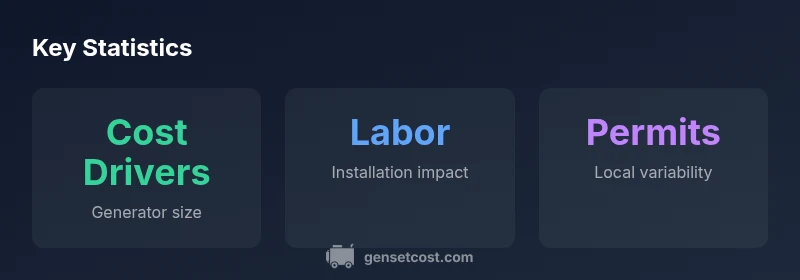
The term generator calculator generac refers to a budgeting tool that translates your backup power needs into a concrete upfront cost range. For homeowners evaluating a Generac system, this calculator is not a sales pitch—it’s a budgeting aid designed to illuminate how the different cost drivers come together. According to Genset Cost, understanding these drivers early helps you prioritize size and install options without overpaying for features you don’t need. The calculator focuses on four core inputs—generator size in kilowatts (kW), price per kW, installation labor, and permits—then aggregates them into a single projected cost. As you tweak the inputs, you’ll see how small changes in size or labor can shift your total dramatically, which is essential for property managers juggling multiple units or tenants. This approach aligns with best practices in your generator-cost planning, offering transparency and reducing surprises at the contract table.
In the context of a Generac system, the calculator’s results should be interpreted as budgeting estimates rather than final quotes. Real-world quotes will reflect site conditions, electrical codes, transfer-switch requirements, and local contractor rates. The goal is to provide a defensible baseline that helps you compare quotes from installers, negotiate better terms, and time purchases with seasonal labor cycles. When used consistently, the generator calculator generac becomes a practical decision-support tool rather than a one-off price check.
How the calculator models cost drivers
The calculator models cost drivers through a simple, transparent formula: total cost = generatorKW * costPerKW + installationCost + permitsCost. The inputs represent realistic decision points homeowners routinely consider: the size of the generator (kW) determines capacity and fuel burn; the cost per kW captures the base unit price; installationCost accounts for wiring, labor, and hardware like transfer switches; permitsCost covers local inspections and permit fees. For Generac systems, you’ll often see a steeper cost curve as you push beyond mid-range sizes due to mounting hardware and transfer-switch requirements. The calculator converts all of these pieces into a single number you can compare across quotes. By tweaking the inputs, you can explore “what-if” scenarios—for example, how downsizing the generator or opting for a simpler installation affects your total outlay. This method supports better negotiation and planning for both homeowners and property managers, making it easier to align technical needs with budget realities.
Beyond the input variables, consider the broader financial picture: maintenance costs, fuel efficiency, and potential incentives or rebates that might apply in your jurisdiction. While the calculator focuses on upfront costs, a comprehensive view includes ongoing operating costs and the time value of money. The generator calculator generac is most powerful when used alongside a formal load calculation and a site assessment, ensuring that you’re not paying for excess capacity or missing critical loads during outages.
Generac sizing considerations: choosing the right kW rating
Selecting the appropriate kW rating for a Generac backup generator is a balance between required resilience and cost efficiency. A smaller unit reduces upfront and installation costs but may struggle to support high-demand appliances (air conditioning, water heaters, electric stoves) during outages. A larger unit delivers ample capability and future-proofing but increases both the generator price and installation scope. The calculator helps quantify this trade-off by showing how a size increase impacts the total cost through the generatorKW * costPerKW term. For most single-family homes, typical sizing decisions revolve around essential circuits and climate considerations. In a multi-unit property, the load calculation expands to common areas, elevators, and HVAC systems, which can push the kW requirement higher. Generac systems are known for modular upgrades, so you can start with a base unit and add capacity later, which the calculator can illustrate by re-running with different inputs. Remember, size alone doesn’t determine value—the combination of size, efficiency, and installation complexity defines total cost and reliability over time.
Always perform a professional load analysis to identify critical loads and peak demand. This ensures the selected kW rating aligns with real usage patterns and avoids overpaying for unused capacity. The generator calculator generac supports this process by letting you experiment with sizes while keeping your budget constraints in view.
Interpreting the results and budgeting for a backup system
Interpreting the calculator’s output centers on understanding the relationship between capacity, installation, and local requirements. The total upfront cost is a snapshot, not a commitment. When you see a higher result after increasing kW, attribute the jump to both the larger generator price per kW and potentially more complex installation (new transfer switches, conduit routing, or a longer run from the main panel). The budgeting mindset should separate essential features from optional add-ons—consider weatherproof enclosures, remote monitoring, automatic transfer switches, and battery backup features as optional components whose costs can be added incrementally. For property managers, running multiple scenarios side-by-side helps optimize across several units, ensuring that you’re not over-investing in a single high-capacity unit when a few smaller, well-timed installations could cover outages for an entire building. The calculator’s clear, itemized inputs enable you to justify each cost item to stakeholders, from maintenance teams to financial officers, and to document the rationale for a given sizing choice. In short, use the output to guide decisions, not to dictate them; always corroborate with a professional assessment for final quotes and installation plans.
In all cases, compare multiple installers and ensure they’re aligning with local electrical codes and warranty terms. The value of the generator calculator generac rises when you couple its insights with real-world bids and a thorough site evaluation.
Practical examples: scenarios with Generac configurations
Consider three practical scenarios that illustrate how the calculator translates decisions into cost implications. Scenario A uses a small, essential-load setup (around 8–12 kW) suitable for a modest home that prioritizes critical circuits like lighting and refrigeration. Scenario B adds mid-range comfort (12–20 kW) to cover a larger house with more appliances and climate control. Scenario C targets full-home resilience (20–22 kW or higher) for multi-room, multi-story residences with water heating and HVAC loads running during outages. Each scenario can be modeled in the calculator by adjusting generatorKW and keeping installation costs proportional to complexity. You’ll notice that the incremental cost per additional kW tends to come from the price per kW and the labor required to install more robust transfer-switches and longer conduit runs. For Generac ecosystems, you may also encounter compatibility considerations with existing panels and transfer systems. The calculator helps visualize these trade-offs, so you can justify a moderate increase in capacity if it yields a noticeably higher reliability margin and fewer outages in peak usage periods.
In property-management contexts, you might run a baseline 12–16 kW setup for a single-family rental and compare it to 20–22 kW for a multi-unit building to gauge per-unit cost differences. Remember that installation costs may scale non-linearly with building size and electrical work. The goal is to identify a configuration that reliably meets load demands while staying within budget, with room to expand later if tenant needs evolve.
Installation, safety, and financing considerations
Safety and proper installation are non-negotiable when planning a Generac generator. The calculator provides upfront budgeting context, but the actual installation should be performed by licensed electricians who follow local codes and safety best practices. Ensure that your plan includes a transfer switch designed for your panel, appropriate clearance from combustibles, and secure mounting that withstands weather exposure. Financing options—such as staged payments, manufacturer rebates, or utility programs—can affect the total cost and timing of installation. The calculator can help you model scenarios that fit loan terms or phased installation approaches. If you’re managing a portfolio of properties, consider bundling installations to negotiate bulk pricing on equipment, labor, and permits. But never cut corners on safety features like surge protection, proper grounding, and documented maintenance plans. For Generac systems specifically, verify compatibility with your home’s electrical configuration and verify warranty coverage for both the generator and the transfer-switch hardware. In all cases, a professional load calculation and site inspection should precede the final quote to prevent under- or over-sizing and to ensure long-term reliability.
A cautious approach reduces risk: plan a realistic contingency for permit delays, weather-related scheduling, and potential code changes that could affect installation scope.
How to compare quotes and maximize value with the calculator
With multiple bids, the calculator becomes a decision-support hub rather than a single-number answer. Use it to standardize quotes by inputting the same generatorKW, costPerKW, installationCost, and permitsCost across bids, so you’re comparing apples to apples. Seek clarity on what’s included in installation—some quotes separate transfer-switch hardware, weatherproofing, or enclosures, while others bundle them. The tool is particularly helpful when evaluating optional features like remote monitoring, corrosion protection, or extended warranties. As you review bids, pay attention to permit timing, required inspections, and the installer’s stated timeline, as these factors influence total cost and project coordination. If a quote looks significantly cheaper, request a line-item breakdown to confirm there are no hidden costs or omissions related to wiring or transfer switch configuration. The calculator also supports ownership cost analysis over time by letting you simulate future electricity costs and fuel prices, helping you decide whether to invest in a larger, more efficient unit or a smaller unit with smarter load management. Consistent use of the generator calculator generac across bids will improve your confidence in the final decision and reduce the risk of surprises after the work begins.
For property managers, document each scenario with a clear executive summary and attach the calculator’s outputs to your bid package. This not only streamlines approvals but also provides a transparent basis for evaluating performance during outages and for communicating with tenants about expected service levels and costs.
Data-driven planning for property managers
Property managers must balance building resilience with capital costs and ongoing maintenance. The generator calculator generac acts as a planning tool that translates outage resilience goals into an initial cost envelope, enabling proactive budgeting and risk assessment. When planning across multiple units, create standardized profiles (e.g., small 8–12 kW for studios, medium 12–20 kW for 2–3-bedroom apartments, larger 20+ kW for shared amenities) and compare how each profile affects line-item costs in your jurisdiction. Use the calculator to model different installation scenarios—single-unit outages, whole-building resilience, or district-ready backup—so you can present stakeholders with a clear, data-backed investment rationale. Remember that ongoing costs like fuel, maintenance, and periodic testing should be factored into a long-term budget beyond the upfront calculator results. Genset Cost’s guidance emphasizes that a well-chosen Generac system paired with careful site planning minimizes the risk of under-sizing or over-investment, delivering reliable power during outages and supporting demand management across properties. Leverage the calculator as a living document: re-run it as you receive new quotes, attend permitting milestones, or adjust load assumptions for seasonal changes.
Closing thoughts: using the calculator as a budgeting partner
The generator calculator generac is not a one-time price tool; it’s a budgeting partner that evolves with your project. Use it early in the planning phase to explore scenarios, refine load assumptions, and align expectations with contractors and financial stakeholders. The tool’s transparency helps you justify decisions, compare multiple quotes consistently, and establish a credible baseline for project approvals. When combined with a professional load analysis and a detailed site assessment, it becomes a robust framework for choosing the right Generac backup solution that suits both your power needs and your budget. The more you engage with the calculator—adjusting size, negotiating installation scope, and tracking permit progress—the more confidence you’ll gain in delivering reliable backup power to homes or properties you manage. As you move from estimates to ordered equipment and installed systems, the calculator remains a reference point for evaluating performance against initial projections and guiding future upgrades.
Appendix: quick-start checklist for using the calculator in practice
- Confirm your essential loads and climate considerations before entering inputs.
- Run multiple scenarios for 8–12 kW, 12–20 kW, and 20–22 kW to understand the cost curve.
- Compare quotes with the same inputs to ensure apples-to-apples evaluation.
- Check transfer-switch compatibility and local permit requirements early.
- Document assumptions and keep a copy of the calculator outputs for stakeholder reviews.