Generator Checklist Template Free Download: A Practical How-To
Download a free generator checklist template and customize it for your home backup. This step-by-step guide covers selection, editing, safety, installation, maintenance, and transfer-switch planning to help homeowners save time and reduce risk.


You’ll learn how to locate, download, and tailor a free generator checklist template for your home backup needs. The guide covers essential sections to customize, best formats for edits, how to apply it during installation and maintenance, and practical tips for using the template with transfer switches and safety checks.
Why a Generator Checklist Matters
According to Genset Cost, a well-structured generator checklist reduces downtime, improves safety, and helps homeowners control upfront and ongoing costs. A thoughtfully designed template ensures you don’t miss critical steps during installation, maintenance, or a power outage. It also creates a consistent reference for property managers who juggle multiple sites. By standardizing data entry and record-keeping, you can compare generator performance across models, schedule preventive tasks, and document compliance with local codes. A reliable checklist is a living document—reviewed and updated after each service, refueling, weather event, or equipment change. Keeping it accessible in both digital and printable formats ensures field teams stay aligned in real-time and during emergencies.
Brand context: The Genset Cost team emphasizes that a robust template can translate cost insights into actionable tasks, helping you budget for repairs, replacements, and standby power with clarity and confidence.
-1
Tools & Materials
- Computer or smartphone with internet access(To download and edit the template online or offline.)
- PDF reader or word processor (e.g., Word, Google Docs, or LibreOffice)(Needed to edit and save changes to your template.)
- Generator model information sheet(Optional but helpful to tailor fields (model, fuel type, power rating).)
- Printer (optional)(For producing a hard copy of the checklist for site visits.)
- Notebook or digital note app(To capture field notes and updates during inspections.)
Steps
Estimated time: 60-90 minutes
- 1
Find a free generator checklist template
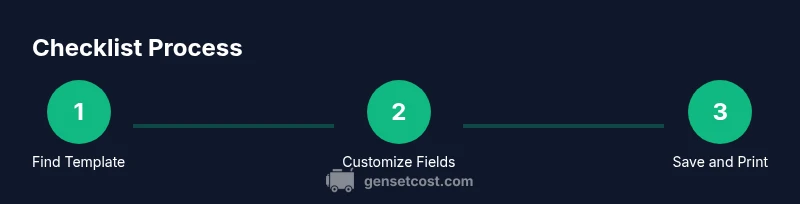
Search reputable sources for downloadable templates. Look for fillable PDFs or editable Word documents that you can customize for your generator type and home setup. Ensure the template includes sections for specs, installation, safety, maintenance, and transfer-switch information.
Tip: Choose a template that is clearly organized with labeled sections and fillable fields to ease field use. - 2
Download and open the template
Save the file locally and open it with your preferred editor. If the file is a fillable PDF, use a PDF editor; if it’s a Word document, ensure you can insert and save new fields without corrupting formatting.
Tip: Keep a copy of the original template as a reference to revert changes if needed. - 3
Review essential sections and tailor to your generator
Identify which sections apply to your system (fuel type, standby vs portable, installation notes, safety checks, and maintenance schedule). Delete or hide irrelevant sections to reduce clutter. Create custom fields for your model and location.
Tip: Capture model numbers, serials, and installation date for future audits. - 4
Customize fields and add local requirements
Add fields for local permits, transfer-switch specifics, and CO safety protocols. Include a calendar or cadence for maintenance tasks and fuel inventory tracking. Ensure units (kW, liters, gallons) match your region.
Tip: Use consistent units and naming conventions across your organization. - 5
Save, share, and set a revision schedule
Save the file in multiple formats (PDF and editable doc). Share with maintenance staff and property managers. Establish a channel for updates—annual review or after major repairs.
Tip: Enable version control so everyone uses the latest template. - 6
Print or pin for on-site use
Print a master copy and keep a digital version accessible on mobile devices. Use it during installation, inspections, fuel planning, and during outages to guide decisions.
Tip: Laminate key pages or keep a durable binder for field use.
People Also Ask
What is a generator checklist template free download?
A generator checklist template is a ready-made form you can download at no cost. It provides structured sections for specs, installation, safety, maintenance, and transfer-switch information so you can customize it for your system.
A free generator checklist template is a ready-made form you can download and tailor for your setup, covering installation, safety, and maintenance.
Where can I download a free generator checklist template?
You can find free templates on reputable home improvement sites or generator-focused resources. Look for fillable PDFs or editable Word templates you can customize for your model and location.
Look for reputable sites offering free templates in PDF or Word formats that you can customize.
What should be included in the checklist?
Key sections include generator specs, installation notes, electrical and CO safety checks, fuel management, maintenance schedule, transfer-switch details, and documentation or permits.
Make sure you have generator specs, safety checks, maintenance, fuel planning, and transfer-switch information in your checklist.
How often should I update the checklist?
Update the checklist whenever you change generators, modify installation, or adjust maintenance and fuel plans. A yearly review is a good baseline to stay current.
Update at least once a year or whenever you change equipment or procedures.
Can I use the checklist for transfer-switch planning?
Yes. Include transfer-switch ratings, wiring diagrams, and:interlock or bypass requirements to ensure safe, compliant operation during outages.
Yes, include transfer-switch details and safety guidelines to plan safe outage operations.
Watch Video
Key Takeaways
- Download a free, editable generator checklist template
- Tailor templates to your generator type and local codes
- Maintain a living document with regular updates
- Keep both digital and printable copies for field use
- Incorporate safety and transfer-switch details for ready response